Table of contents
What Is OPPO Qualcomm Tool?
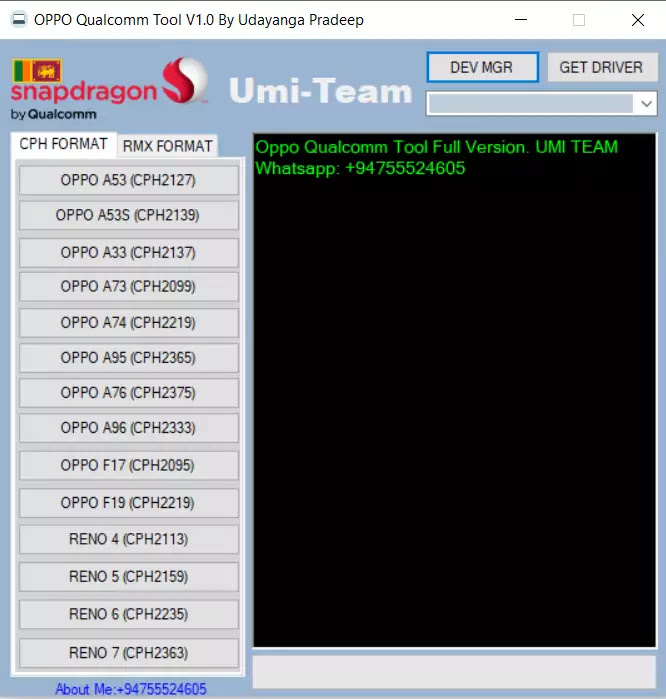
The Free OPPO Qualcomm Tool v1.3 is a small Windows application that allows users to unlock their FRP-locked phones. It is also capable of unlocking user locks in EDL mode. Since the tool is created by the GSM team, it is free for all users. Before you download and install the tool, make sure you have installed the drivers on your computer. You will need to disable your antivirus and other security applications to run the application.
Compatible with Windows XP, Vista, Windows 7 and Windows 10
Despite its name, the compatibility mode feature in Windows allows you to run programs that weren’t designed to run on the latest version of Windows. The compatibility report gives you information on the hardware components that may need some attention before you can run programs on your computer. It can help you avoid crashes or blue screens when running older programs. The compatibility mode is especially useful when you’re trying to run an old program that doesn’t support high-resolution displays.
OPPO Qualcomm Tool Auto Detect your device
OPPO Qualcomm Tool is a free program that allows you to remove FRP, pin, pattern lock, and user lock from your smartphone. The tool can detect and remove FRP, pin, pattern lock, and user lock in EDL mode. It was developed by a GSM resulting team, and it works on any Windows computer. You must have an EDL mode enabled on your smartphone before using this tool.
Unlocks Oppo Qualcomm Devices
If you want to unlock OPPO mobile phones, you can now download the free Oppo Qualcomm Tool v1.3. This small application will unlock your phone’s EDL mode, FRP protection, and factory reset. The program was developed by the GSM resulting team and is free to download. You must install the necessary drivers before using the program. If you want to use the tool, you need to be on Windows operating system.
Optimize your Device Performance
OPPO recently announced the successful testing of a 5G enterprise network slicing solution developed together with Qualcomm Technologies and Ericsson. The solution is intended to be implemented by network operators around the world. OPPO showcased the solution in its 5G Communications Lab. The company worked closely with both companies to develop the solution. Here are some of the key features of the new tool. Read on to learn more.
Download Oppo Qualcomm Tool
| File name | Link |
|---|---|
| Oppo_qualcomm_tool_v1.3.zip | Download 1.3 ZIP |
Other Oppo Mobile Tools
The post OPPO Qualcomm Tool v1.3 Download – Oppo FRP Unlock Tool 2025 appeared first on AllMobileTools-Tutorials, Stock Firmware, Tools, USB Drivers.
]]>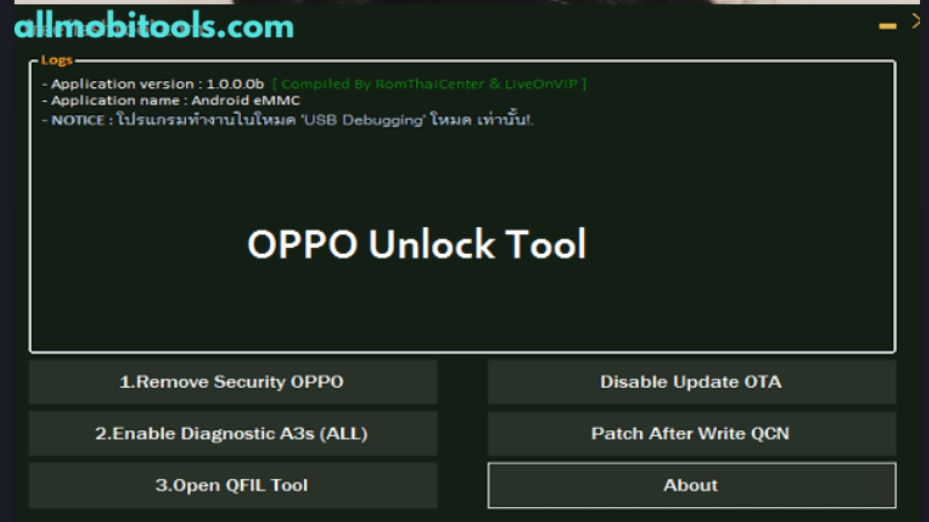
Table of contents
What is Oppo Unlock Tool?
The Oppo Unlock Tool is a free Windows application that will unlock Oppo and Realme smartphones. It can remove the network, FRP, Diag, secrecy lock, and pattern locks. The tool is easy to use and works with all Android phones, iPhones, and iPads. The software supports Windows, Mac, and Linux systems. Once you’ve installed the program, follow the installation instructions to complete the process.
This free Windows application will allow you to unlock any Oppo and Realme device. It is also compatible with other Android smartphones. The only limitation is that it doesn’t work on older devices. It blocks the Flashlight, Boot Manager, modem, and data Manager. It can also delete your text messages, pictures, and contacts. Unlike paid apps, you can use this tool to bypass the FRP lock and restore your device to factory settings.
OPPO Unlock Tool is a free download from the OPPO website. To use it, you must have a Windows PC. The program will unlock the device and remove the factory reset protocol lock. It can also erase the data in your phone if you haven’t logged into Google for a certain period of time. This method will make it possible to use any other Android device you have. But if you’re not sure, just download a trial version and try it out.
This tool is designed to unlock Oppo Android devices that are based on Qualcomm and MTK processors. This tool is free to download and is compatible with most Windows os. It runs on Windows 32-bit and 64-bit and is compatible with Windows 7 and Windows 10. It’s recommended that you have a Windows PC with the latest version of the software to use the program. Using this tool is simple and can be used by anyone.
Oppo unlock tool is a program that helps you unlock your Oppo smartphone. It will remove the FRP lock and FRP partition data. It will also unlock your phone’s screen locks. It will work on both MTK and Qualcomm smartphones. If you don’t have a Windows PC, you can use the tool to do it on your PC. You’ll need to download the software on your PC. Once you’ve downloaded it, follow the instructions on the screen to proceed.
Download Oppo Unlock Tool Latest version
Password: GSMAsifKhan
How to use Oppo Unlock Tool?
- Run the Oppo FRP Tool on your computer
- Power OFF your Oppo smartphone.
- First, check your phone chipset type.
- If you have MTK Powered phone then follow the MTK process, If Qualcomm then follows the Qualcomm unlock process.
Best Alternatives
The post Oppo Unlock Tool Download 2025 | Unlock Password, Pattern, FRP, Network appeared first on AllMobileTools-Tutorials, Stock Firmware, Tools, USB Drivers.
]]>
Table of contents
Oppo User lock Remove Tool is free
If you’re looking for a way to unlock your Oppo mobile device, you’ve come to the right place. The Tool is free and easy to use and is compatible with most Android devices and most Windows operating systems. This tool works on both 32-bit and 64-bit Windows, and it will work on all Android devices that have FRP (Federal Register Protection) protection. It’s easy to use, and anyone can use it.
Oppo User Lock Remove Tool Removes the Password Lock
In case you’ve been wondering how to bypass the password lock on Oppo user lock, here’s an easy trick. You need to have the device connected to your PC. Afterward, go to your device’s settings and open the ADB tool. After you’ve installed it, you need to select the passwords tab, and then tap on it. Once the password field is full, press the “Remove” button.
It Removes the Network Lock
There are a few things you will need in order to successfully remove the network lock from your Oppo Mobile. You will need a Universal ADB Driver, a test point for EDL mode, and an Oppo User lock Remove Tool. You should also ensure that your computer is running the latest version to avoid infection. Once you have all these, you can proceed to remove the network lock from your Oppo Mobile.
It Removes the Screen Lock
If you’re not able to unlock your Oppo phone, don’t worry. There are several ways you can bypass this screen lock. One way is to sign in to your Google account. After signing in, you’ll need to go to the Android Find My Device web page and enter your Gmail ID and password. After that, select “Forgot password” and set a new password.
Oppo User Lock Remove Tool Removes the SIM Lock
The best way to unlock an OPPO phone without wiping your data is to use an Android device unlocking tool. There are a few things you need to know about this tool. Firstly, you must have a Google account. After that, you need to open the device’s settings. Secondly, you must know how to enter the Engineer Mode. Bypass the lock screen by selecting the option “Manual test” and pressing “Enter.”
Download Oppo User Lock Tool
| File | Link |
|---|---|
| Oppo_Unlock_Tool | Download Unlock Tool |
| OMH_Oppo_User_Lock_Remove_Tool | Download OMH Tool |
The post Oppo User Lock Remove Tool Download 2025 Latest Version appeared first on AllMobileTools-Tutorials, Stock Firmware, Tools, USB Drivers.
]]>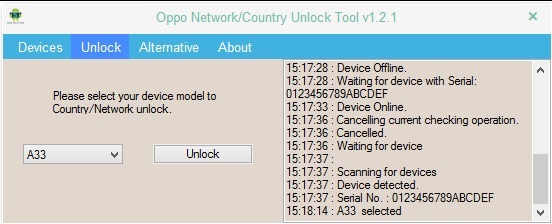
Table of contents
Free Download Oppo Network Unlock Tool
The Oppo Unlock Tool is free to download and use for any Android device. It supports both MTK and Qualcomm processors. It supports Windows XP, Vista, 7, and 8.1 and is compatible with Windows 10. The tool is easy to use and is compatible with all Android phones. Once you download and install the tool, you’re ready to unlock your Oppo or Realme phone.
Oppo Network Unlock Tool Works on MTK and Qualcomm Chipsets
The emergence of smart devices has brought with it the need for high-performance chips. Qualcomm and MTK have both made advances in their chip designs. In fact, their chips are so powerful that they can even power smart appliances. The evolution of these chips has taken them beyond the capabilities of low-end desktop computers. For example, when Apple released its first iPhone in 2007, the chip inside the phone was more powerful than the computer that was used to launch the first manned space mission. Qualcomm’s newest Snapdragon 865 chipset can run 2.84 billion calculations per second.
Disable OTA Update
If you own an Oppo phone, you can now unlock the network lock on your device with the help of the Oppo Network Tool. This simple application was developed by the ROM Thai Center and can be used to unlock all of Oppo’s latest smartphones. This tool is completely free and open source and supports all models. It works on Windows XP, Vista, 7, 8, and 10.
Oppo Unlock Tool Supports All Models
It can be used to unlock Oppo smartphones and tablets, both Qualcomm and MTK models. The tool can be downloaded for free. All you need is a USB cable and a PC. Once you’ve downloaded the tool, you’ll need to connect your phone to the PC via a data cable. After that, launch the program and wait for it to detect your phone. It will then format your data and remove FRP, pattern lock, and network restrictions.
Download Oppo Network Unlock Tool
| File | Link |
|---|---|
| Oppo_Network_unlock_tool | Download Oppo Network Unlock Tool |
Other Oppo Tools:
The post Oppo Network Unlock Tool 2025 Download v1.2.1 (Country Unlock) appeared first on AllMobileTools-Tutorials, Stock Firmware, Tools, USB Drivers.
]]>Table of contents
What is MAGICO OPPO ID Bypass Tool?
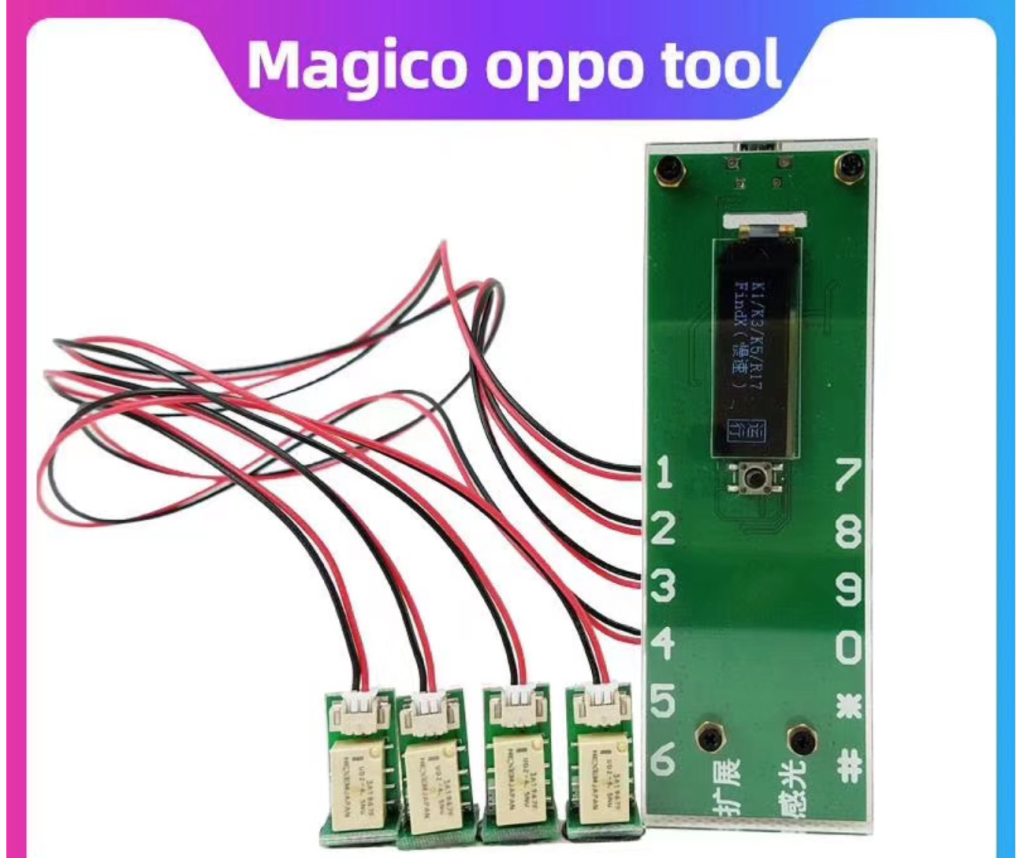
MAGICO OPPO ID Bypass Tool will bypass your phone’s Oppo ID and solve account lock issues. It also fixes lost mode and arbitrary speed adjustments. It supports a variety of models and has several handy features, including customization, computer software, and a quick solution lock. Read on to learn more.
New Supported Models
- Realme V15/X/X2/X2PRO/X50 5G/X50M/X50/X7/V3/V5/X7/Q2/Q2i/Q2 PRO/5i/5pro/6/6i/6pro/7/7i/7pro/8/8pro/8 5G NEW/C3/C11/C12/C15/C15Qualcomm/c20/c21/c25/XT/X2/X2PRO/X3/X50PRO/X3 ZOOM/X7/X7PRO/Narzo 10/Narzo 10A/Narzo 20/Narzo 20A/Narzo 20pro/Narzo 30A/Narzo 30pro 5G
- OPPO Find X/Find x2/Find x2pro/ACE2/ACE/Reno/RENO Z/RENO 10X/RENO2/RENO2Z/RENO3/RENO3PRO/RENO4/RENO4 SE/RENO4
Download Magico Oppo ID Bypass Tool
| File | Link |
|---|---|
| Magico_Oppo_Tool_v3.9a | Download Magico Tool ZIP |
Other Oppo Tools
How To Install Magico Oppo ID Bypass Tool?
- Download The full setup file from the link given above.
- Once downloaded. Open the download folder on your computer and double-click on the setup file.
- Now follow the options that appear on your screen.
- Once installed. Open the software and enjoy.
The post Magico OPPO ID Bypass Tool 2025 Download (Remove OPPO Account) appeared first on AllMobileTools-Tutorials, Stock Firmware, Tools, USB Drivers.
]]>Table of contents
The download link has already been provided, you need to tap it on and get the tool to install it on a windows computer.
How to use Oppo FRP Unlock Tool?
Before the topic goes beyond, you need to know what this FRP lock is, and why we need it while resetting the device.
Originally, FRP (Factory Reset Protocol) is a tool which does not allow you to erase the data of the phone unless you know the last Google login details.
And if you lost your phone, or someone pranked with you by picking it up, he/she may not be able to get your data erased, due to the FRP lock functions.
And the other face of the coin, if you forget the last login details, you also would not be able to erase the data.
- Now, it comes to using the Oppo FRP Unlock tool.
- The use of this tool pretty simple and handy, it is all about clicking and getting.
- You have to click a couple of fingers and get the job done.
- Download Oppo FRP Unlock Tool from the given download link.
- Extract the file, as it is in zipped
- Update the USB drivers on your computer, to make a smoother communication with the Oppo mobile phone
- Get the software or tools installed, there is nothing you need to read while installing, just follow the screen commands.
- And finish the installation
- Get a USB cable; connect one side with the phone (FRP locked phone) and another side with the computer where you have already installed the tool
- You will see the device connected to the computer via the tool.
- And you just chose the model which is locked
- And click on the FRP lock button
- Oppo FRP Unlock tool not only helps you in removing the FRP locks but other locks like Screen lock, pattern lock, PIN lock, SIM locks and much more.
There are dozens of features which can help you in managing and fixing many Oppo mobile phone issuing getting your phone down.
Features of Oppo FRP Unlock Tool:
- This is like a one-stop-shop to fix lots of lock issue for Oppo mobile phone users.
- With just one-click, you can get the FRP lock removed.
- Get your Oppo mobile phone hardware reset, and erase all data.
- Works fine with All Windows version, Windows XP, Windows 7, Windows 8, and Windows 10.
- Clean and simple interface with smooth navigation
- No pop-ups ads to annoy you or to destroy your entire experience
- Free of cost
As I said, the link has already been provided, just get it on your computer. If the link does not work, please do comment in the comment section.
Oppo FRP Unlock Tool Download Links
| File Name | Download Link |
|---|---|
| All_In_One_FRP_Unlock_Tool | Download All In One FRP Unock Tool |
| All_FRP_Unlock_Tools | Download FRP Unock Tools |
Also Check: Oppo Flash Tool (All In One)
The post Download Oppo FRP Unlock Tools (2025) Latest Version appeared first on AllMobileTools-Tutorials, Stock Firmware, Tools, USB Drivers.
]]>