Download Windows Phone Recovery Tool: In the era of Androids, Windows mobile users are still standing firm with their strong influence of smartphones operating on windows. They are keen and loyal users of the respective. Today, we are introducing a really helpful and useful tool that helps Windows users to recover their windows software and give their phones a fresh start. Resetting the drives and formatting the data might help in solving the problem so consider that beforehand. This tool formats your data and installs the fresh copy of Windows in your phone and makes it anew. Also, before using the tool, you should save a backup of all your important data like contacts, photos, apps, and games.
The process is simple and easy. You need a few things for that like a USB cable that connects your phone to the PC. Also, A PC operating on any of Windows 7, Windows 8, or Windows 10. A storage capacity of at least 4 GB is needed on your PC for the Windows Recovery Tool to work. Windows phones like Acer, BLU, HTC, NEO, and Nokia Windows Series can use this tool reliably. Installing a new Windows in your phone helps you with speed issues and other performance issues you might be facing. It mends the problems where the device lacks in performance.
Also Check: Bluestacks App Payer Offline Installer For PC
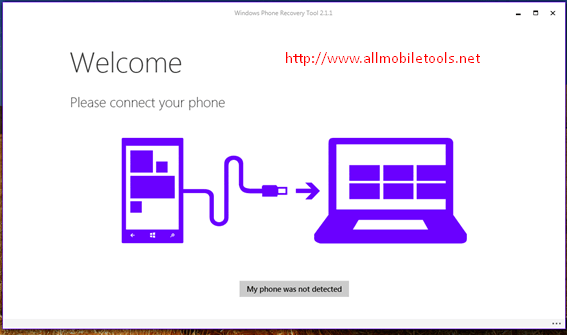
You need to download this tool and getting started is as easy as anything. After the installation process, attach your phone to the Windows operating PC and wait for your phone to get detected. After it detects your phone, you will see a prompt box saying Install Software. By clicking that, you make sure you agree to remove all data and start anew. The process takes some time and you won’t be able to operate your phone in the meanwhile. You are good to go once the process is complete. Your device can use a default setup now as you set it up. Download the Windows Recovery Tool and make your reliable phone more reliable.
Download Windows Phone Recovery Tool
- Download Windows Phone Recovery Tool – Latest Version
The post Download Windows Phone Recovery Tool Latest Version (2025) appeared first on AllMobileTools-Tutorials, Stock Firmware, Tools, USB Drivers.
]]>Windows launched their own Device Manager Tool that allows you to do more than just moving files. The features list is long enough to convince a non-user to become a user. The device is being advanced by the manufactures day after day and its reliability is increasing. The user interface of the Windows Device Manager is quite easy and comprehensive. It allows you to explore your device with complete ease. You can save your backups of any form like contacts, photos or histories. You can have easy access to your mail messages, SMS, Notes, Memos and Call logs. You can get your device’s insights like Storage Capacity, Camera details, ROM and Battery Life. You can save your applications backup data on your PC. Also, it allows you to exchange files from PC to Phone and vice versa. A synchronization process keeps all your phones data aligned with the PC storage.
Also Check: Windows Phone Recovery Tool
It benefits you with so many ways and allows you to surf your phone. It makes your experience more worthy and reliable. It facilitates you enough to keep you stick around. Download the Windows Device Manager and manage your Windows device like never before.
Download Windows Phone Device Manager
The post Download Windows Phone Device Manager Latest Version v1.10.0.0 appeared first on AllMobileTools-Tutorials, Stock Firmware, Tools, USB Drivers.
]]>
The post Windows Phone Flash Tool/Flashing Software Free Download For All Devices appeared first on AllMobileTools-Tutorials, Stock Firmware, Tools, USB Drivers.
]]>
- Windows XP SP3.
- Windows Vista.
- Windows 7.
- 1GHZ or faster 32 bit or 64 bit processor.
- 1 GB RAM 32 Bit.
- 2 GB RAM 64 Bit.
- Broadband internet connection.
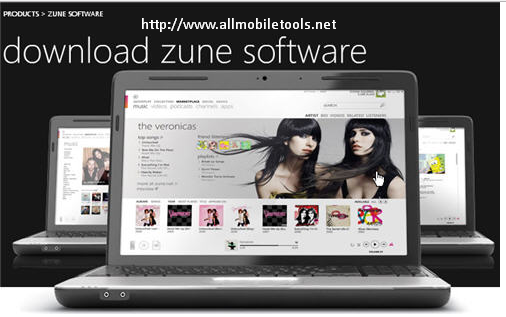
- Download Zune software setup from the link given below.
- Run zunepackage.exe.
- Follow the options appear on your screen.
- Enjoy.
The post Zune Software Latest Version v4.8 Full Setup Free Download For Nokia Lumia Windows Phones appeared first on AllMobileTools-Tutorials, Stock Firmware, Tools, USB Drivers.
]]>