Table of Contents
Also Check: Oppo Flash Tool’s Latest Version
Read the “How To Install” and “How To Flash Stock ROM” guide before downloading this tool. If you have not installed it correctly on your computer, it’s showing errors while flashing. So what are you waiting for just scroll down to the bottom and click on the download button to start downloading the tool now.
How To Install MSM Download Tool (Oppo)?
- Download all the required files from the download button given below.
- Extract the file using any extracting software after downloading.
- Install PDAnet.exe and CodeMeterRuntime.exe.
- Now open CodeMeter Control Center and import the license file (OPPOMsmDownloadToolNoneLic_2000) from the extracted folder.
- Once you import the license file on the code meter, you can see the license-activated message on your screen.
How To Flash Oppo ROM by Using MSM Download Tool?
- Your Oppo/Vivo Device must be fully charged.
- Download Stock ROM for your required Oppo device.
- Run MSMDownloadTool as administrator on your computer.
- Load the ROM (Firmware) of your Oppo device on the MSMDownloadTool.
- Switch off your Oppo/Vivo Smartphone and keep pressing and holding the Volume Up Key.
- Now connect your Oppo/Vivo phone to your PC using a USB Data cable.
- Finally, click on the Start button to start the flashing process. It will take several minutes to complete.
- Once it’s completed a message “Download Complete” will appear.
- Now unplug your device from your computer and turn it on.
- Done you have successfully flashed your Oppo device. Enjoy…
List Of Required Files:
- Flash Tool – MSM Download Tool
- Tool Activator – Code Meter Runtime Download
- License File – OPPOMsmDownloadToolNoneLic_2000
- Firmware – Stock the Rom of your device.
- USB Drivers
Download MSM Download Tool (All Versions)
| File Name | Version | Download Link |
|---|---|---|
| MsmDownloadTool_v4.0.59_patched.zip | v4.0.59 | Download Now |
| MsmDownload_Tool_v4.0.58.zip | v4.0.58 | Download Now |
Important Notes: Flashing The ROM with Flash tools will Erase all your all Data. So create a backup of your all-important data (Messages, Contacts, Call Logs, Call History, Photos, Videos, etc) before flashing your device, We are not Responsible for any damage, boot loop, or Stuk.
The post MSM Download Tool v4.0.59 Free Download Crack Latest 2025 appeared first on AllMobileTools-Tutorials, Stock Firmware, Tools, USB Drivers.
]]>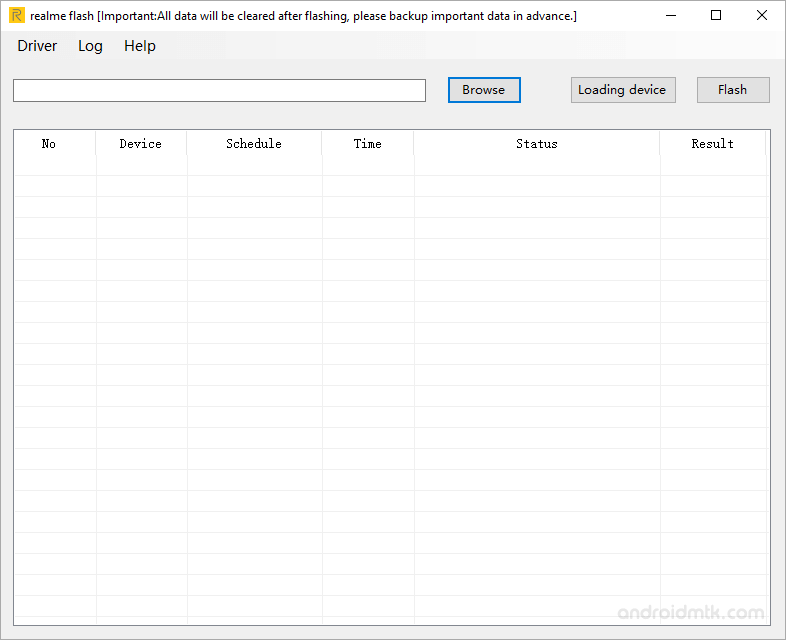
Table of contents
Features of Realme Flash Tool:
- Updating Firmware: Using this tool, customers can upgrade the firmware on their Realme devices to the most recent version.
- The utility also enables users to roll back to a previous firmware version.
- Unbricking: It can be used to fix bricked gadgets, which can happen as a result of software problems or improper firmware flashing.
- Software-related problems can be fixed with the help of this program, including boot looping, device not starting, and stuck logos.
- The interface that’s easy to use: The program includes an interface that’s simple to use even for non-technical users.
- Multiple Realme devices are supported by the tool, enabling users to flash the firmware on various models using the same program.
- Advanced debugging and troubleshooting are made possible by the tool’s integration with the Android Debug Bridge (ADB).
- Windows compatibility: Since the program is compatible with Windows operating systems, a variety of users can utilize it.
Download Realme Flash Tool (All Versions)
| Tool Name | Size | Link |
|---|---|---|
| Realme_Flash_Tool_v1.0.0.4 | 12.5 MB | Download Flash Tool |
Conclusion:
In conclusion, Realme developed the Realme Flash Tool, a potent software program for upgrading, downgrading, and fixing software issues on Android devices. The application supports a variety of Realme devices, has an intuitive user interface, and connects with ADB for sophisticated debugging. Despite being primarily targeted at experienced users, the tool is accessible to a wider audience thanks to its user-friendly design. To prevent breaking the device or nullifying the warranty, the tool should only be used on Realme devices. In general, Realme device owners who need to fix software issues, update their firmware, or roll back to a previous version will find the Realme Flash Tool to be a useful tool.
The post Realme Flash Tool Free Download Latest Version 2025 appeared first on AllMobileTools-Tutorials, Stock Firmware, Tools, USB Drivers.
]]>Table of contents
Oppo Flash Tool for All Models
Oppo MSM Download Tool
The Oppo MSM Download Tool is a software that helps you download the stock firmware for your device. The software will detect your Oppo device and will automatically install the stock firmware. When done, you will see a “Download Complete” message. There are several features that make it worthwhile to download and use. Here are some of them:
One of the most common functions of the MSM Download Tool is flashing stock firmware. This is necessary if you wish to upgrade your Oppo device to the latest firmware. It is also useful for bypassing and resetting device locks. This software is available for Windows. You can download the latest version and perform a firmware flashing procedure on your Oppo device. Once you have finished flashing stock firmware, you will be able to unlock your phone.
Oppo CPU Based Flash Tools
The Oppo CPU Based Flash Tool is a service tools that helps you flash stock firmware files onto Oppo or Realme smartphones. The tools can be used to upgrade or downgrade a device’s operating system, repair a cracked screen, or unlock the device. It is also compatible with Qualcomm and MTK phones. All versions of the tool are available for free download. Here are the steps you should follow to download and install it on your computer.
You should download the flash tool that supports your specific phone’s CPU. There are many flashing tools available online. The process of flashing an Oppo phone is simple and can be done using a computer with either a 32-bit or a 64-bit operating system. You will need approximately 1GB of free disk space to install the software. Once the download is complete, you can begin flashing your phone.
Oppo USB Based Flash Tools
The Oppo USB Based Flash Tool Download is a free tool available for download from this website. It is 100% working and compatible with the various CPU boards of Oppo phones. Besides, it is compatible with 64-bit operating systems. To use this tool, you must have at least 1GB of free space on your computer. This tool will help you download the stock firmware for all Oppo devices.
Oppo Qualcomm Based Flash Tool
You can use the Oppo Qualcomm Based Flash Tool to unlock your device, fix the screen lock, and get rid of the FRP protection. This handy program is free to download and is available for Windows computers. To use it, connect your device to the computer. The tool can then flash the phone’s firmware file to make it run smoothly. Here’s how. Follow these steps to download and install the tool on your Oppo smartphone.
Before you start downloading the tool, make sure your computer meets the minimum requirements for running it. OPPO phones are compatible with both 64-bit and 32-bit operating systems. You must also ensure that your device has at least 1GB of free space. Once you have all the required files, you can install them on your device. Once you have completed this process, your Oppo smartphone is ready to use. Remember, though, that you must have an authorized account to use the software.
Also Check: Oppo Preloader Driver – Oppo Unlock Tool
Download Oppo Flash Tools (CPU Based)
| Flash Tool | Link |
|---|---|
| SP Flash Tool (MTK CPU) | Download SP Flash Tool |
| MSM Download Tool (Flash Tool) | Download MSM Download Tool |
The post Oppo Flash Tool Download Latest (2025) All CPU Based Flash Tools appeared first on AllMobileTools-Tutorials, Stock Firmware, Tools, USB Drivers.
]]>