Table of contents
What is UFI Box?
UFI Box is also known as Universal Flashing Interface. It is a powerful EMMC service tool that can be used to read EMMC user data, as well as repair, resize, format, erase, read, write, and update the firmware on EMMC in Samsung, china phone SK Hynix, Toshiba, Kingston, micron, and many other brands.
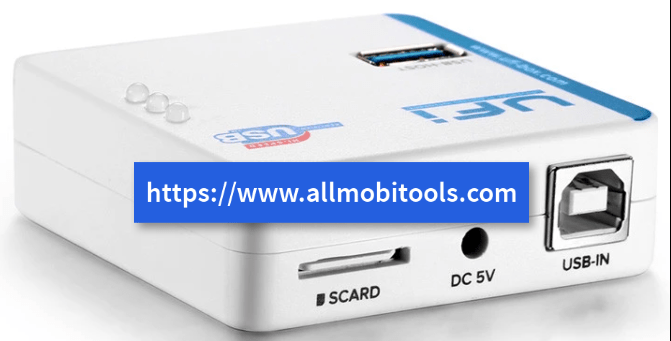
You can easily fix all types of software issues on your Android device by using this powerful tool. UFI Box is the most used flashing tool nowadays because it has the most advanced features than other tools. Everyone person related to mobile repairing loves UFI Box and 95% of them always recommend UFI Box for fixing software-related issue on Android devices.
UFI Box Features
There are some powerful hidden features in UFI Box, that can never be in any other box software. Below is a list of some of my favorite features in UFI Box. Before going to download the UFI Box setup, must check the features below.
- Repair EMMC
- Resize EMMC
- Format EMMC
- Write full data, erase fully
- Read boot1
- Read boot2
- Read EXT CSD
- Read User Data
- Update firmware
- Via test point
These are the features of UFI Box software. If you want to download the latest version of UFI Box, then follow the official download links below.
Download UFI Box Latest Setup
| File Name | Download Link |
|---|---|
| UFI BOX_v.6.0.2333_Update (FIX BUG) | Download UFI_v1.6.0.2333_setup |
UFI Box Supported Windows OS
- Windows XP Service Pack 3 (32bit)
- Windows 7 Home (32bit)
- Windows 7 Ultimate (32bit)
- Windows 7 Ultimate (64bit)
- Windows 8 Profesional (64bit)
- Windows 8.1 Profesional (64bit)
- Windows 10 Final (64bit)
UFI Box Package Content
- UFi Box USB2.0 High-Speed + Smartcard
- UFI-Lite USB3.0 SuperSpeed USD/eMMC Reader
- 2 In 1 eMMC/eMCP socket (169-FBGA,153-FBGA,162-FBGA,186-FBGA)
- eMMC/eMCP socket (221-FBGA)
- UFI ISP Adapter V2
- USB Data Cable
- USB to DC 5V External Power cable
Over 3.3TB of compressed files(and counting) available on the support server come with a built-in download manager, so the user can download required files with ease.
UFI Box Warranty
All the hardware was passed the QC in the factory before dispatch, however, some devices may have problems in the customer’s hand.
UFi Box, UFI-Lite, and the eMMC Socket were covered by 6-month limited warranty.
This warranty does not include problems that were caused by the user himself, such as water damage, burns because of over-voltage, etc.
Also Check: UMT Support Access Tool
The post UFI Box Software Latest Setup v1.6.0 Free Download [Updated] appeared first on AllMobileTools-Tutorials, Stock Firmware, Tools, USB Drivers.
]]>