Warning: opendir(/srv/users/amt/apps/amt2/public/wp-content/mu-plugins): failed to open dir: Permission denied in /srv/users/amt/apps/amt2/public/wp-includes/load.php on line 981
Warning: Cannot modify header information - headers already sent by (output started at /srv/users/amt/apps/amt2/public/wp-includes/load.php:981) in /srv/users/amt/apps/amt2/public/wp-includes/feed-rss2.php on line 8 Install Android CDC Driver – AllMobileTools-Tutorials, Stock Firmware, Tools, USB Drivers
https://www.allmobiletools.net
How To Tutorials, Stock Firmware, Tools, USB DriversTue, 12 Jul 2022 16:12:36 +0000en-US
hourly
1 https://wordpress.org/?v=6.9.4https://www.allmobiletools.net/wp-content/uploads/2019/12/cropped-favicon-32x32.pngInstall Android CDC Driver – AllMobileTools-Tutorials, Stock Firmware, Tools, USB Drivers
https://www.allmobiletools.net
3232How To Download & Install Android CDC Driver Manually on Windows
https://www.allmobiletools.net/how-to-download-install-android-cdc-driver-manually/
Tue, 12 Jul 2022 16:04:19 +0000https://www.allmobiletools.net/?p=3451The post How To Download & Install Android CDC Driver Manually on Windows appeared first on AllMobileTools-Tutorials, Stock Firmware, Tools, USB Drivers.
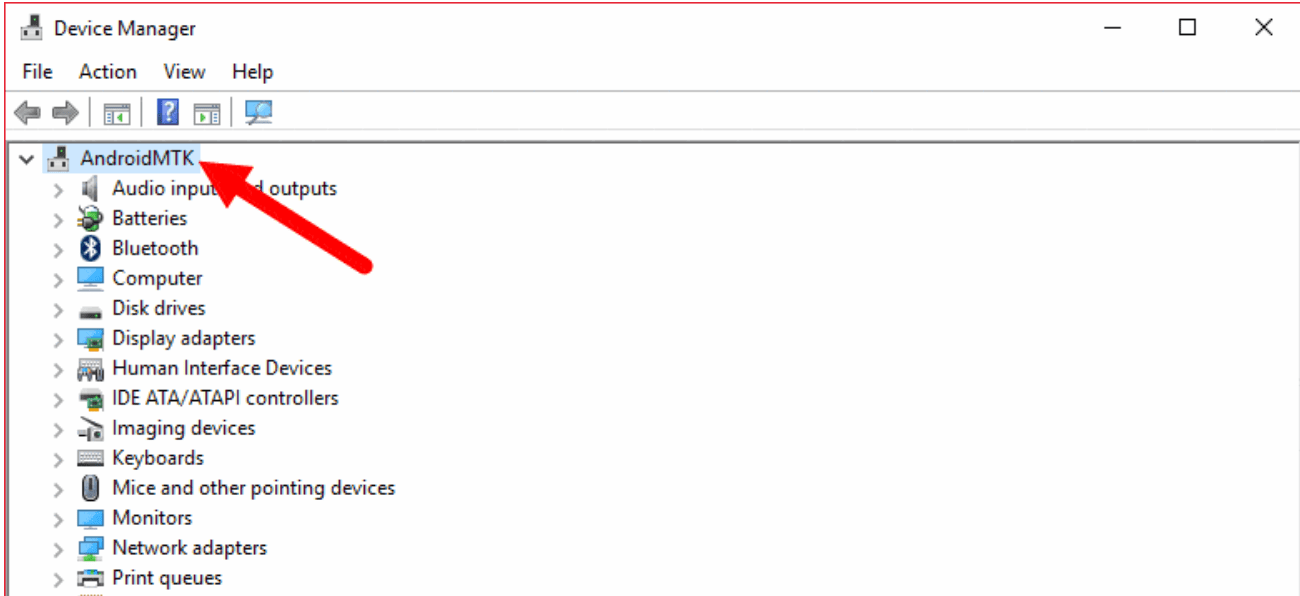
]]>If you want to know how to install Android CDC Driver on a Windows computer, then follow me in the below instructions. This driver is compatible with all Windows versions like Windows XP, Windows Vista, Windows 7, Windows 8, Windows 8.1, and Windows 10.
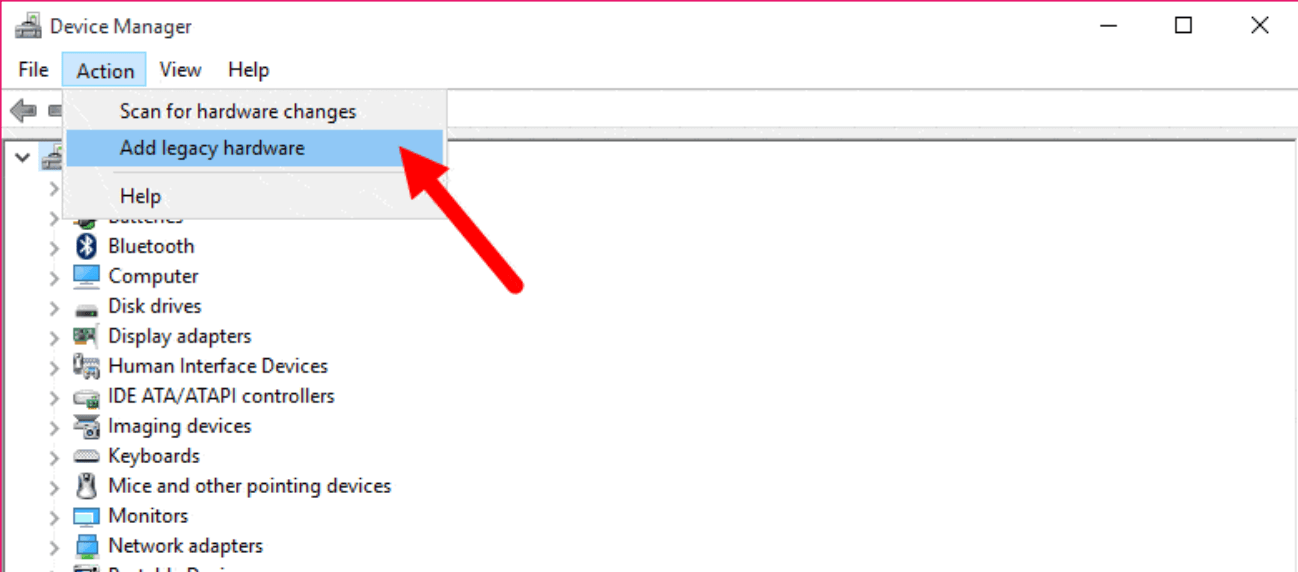
Now click Action button on the top menu and select Add Legacy Hardware
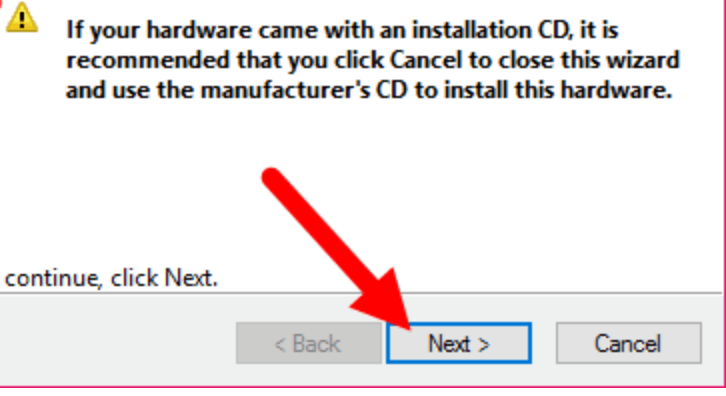
When you click on the Add Legacy Hardware option pop-up windows will appear. Click Next to continue setup.
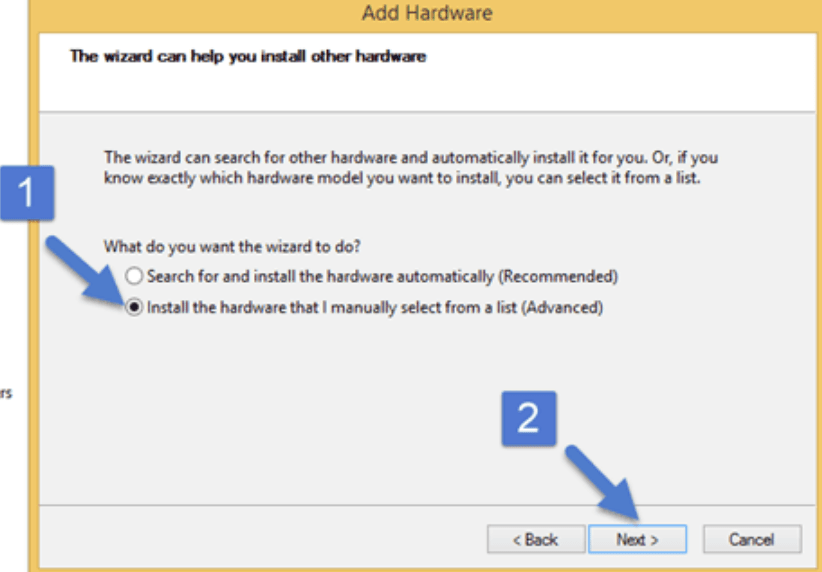
Select Install the hardware that I manually select from a list (Advanced) option and click Next to continue.
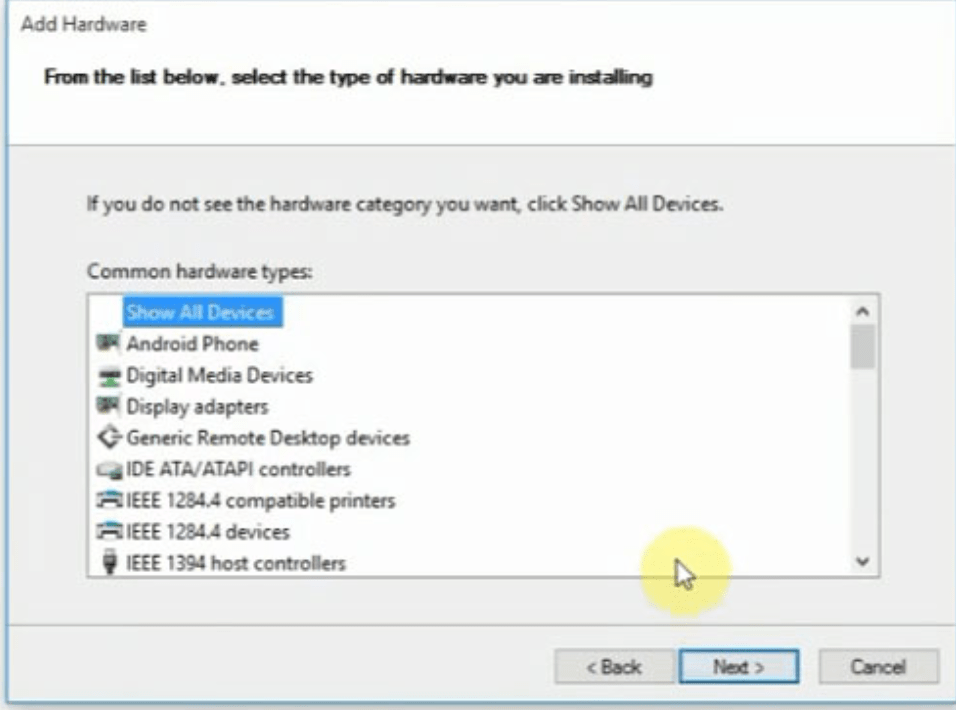
Under Common Hardware Types select Show All Device and click Next to continue setup.
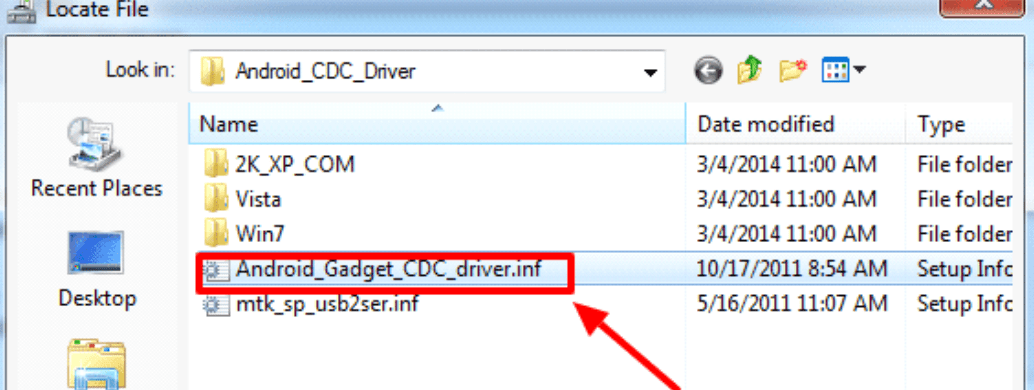
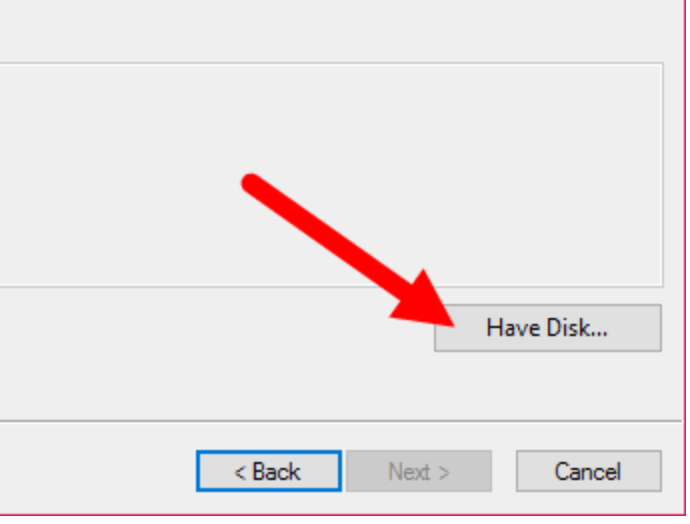
Now click Have Disk and locate the Android CDC Driver location.
Select the driver and click Next to continue setup.
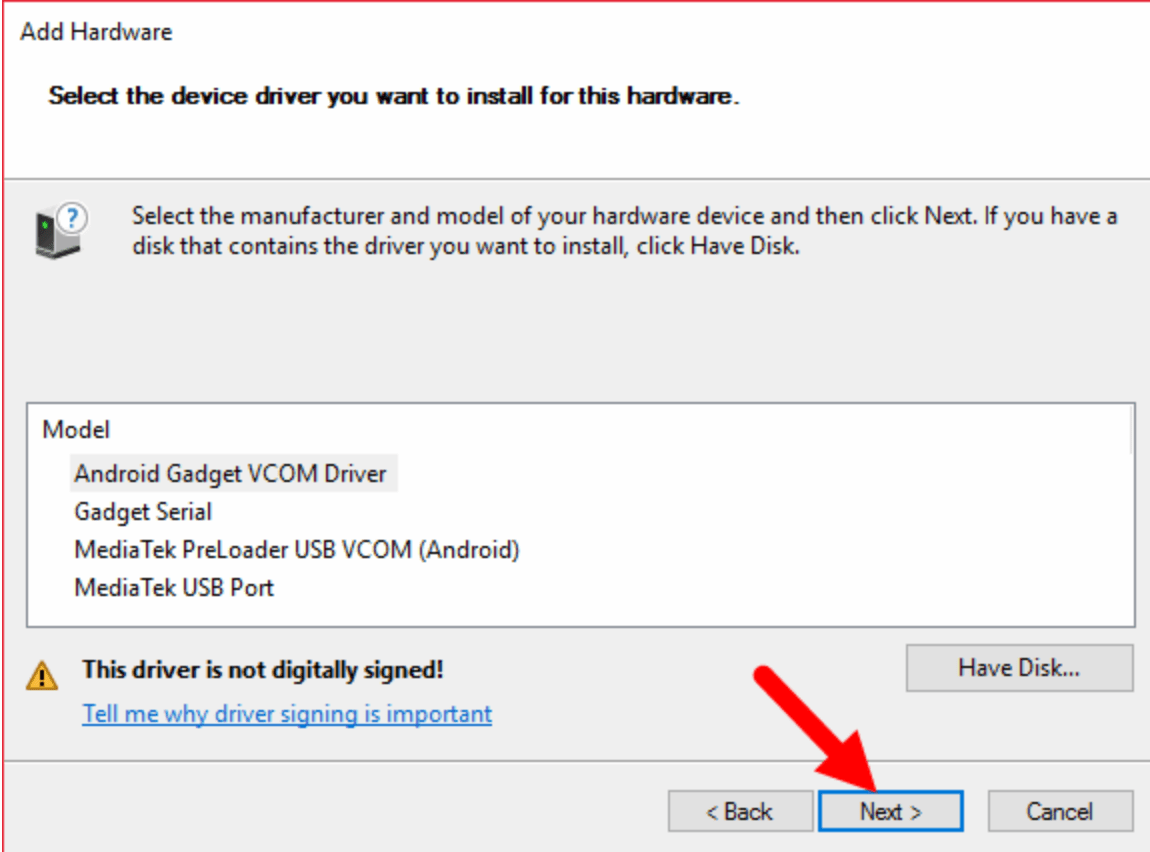
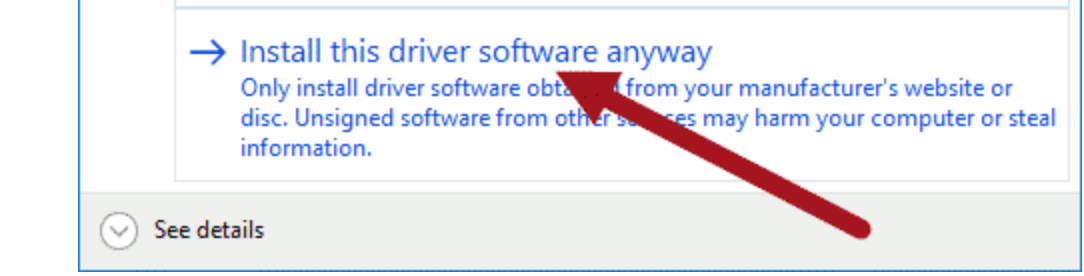
When you click the next Windows Security Dialog box will appear. You have to select the Install Driver software Anyway option to continue setup. Now wait for a minute, Device manager will install the Android CDC driver on your computer.
Finally, click Finish to complete the setup.
How To Install Android CDC Driver Manually On Windows Full Video Tutorial