
What is a Flash File for Nokia 3110c?
A Nokia 3110c flash file is a firmware file that contains the device’s operating system and other software parts. It is also called a firmware image or stock ROM (Read-Only Memory). When you flash a Nokia 3110c with a flash file, you replace the old firmware with a new one. This fixes software problems and puts the device back to how it was before.
Why use a Flash File?
There are several reasons to flash a Nokia 3110c with a flash file:
- Fixing software problems: If the Nokia 3110c is freezing, crashing, getting stuck in a boot loop, or having other system errors, flashing with a flash file can help fix these problems.
- Upgrading the firmware: Flashing the Nokia 3110c with a newer version of the firmware can add new features, make it better, and fix bugs, giving the user a better experience.
- Unbricking a device: If the Nokia 3110c gets bricked because of a failed software update or something else, flashing with a flash file can help bring it back to life and make it work again.
- Flashing with a flash file can also remove carrier customization, unlock the device from a specific network, or bypass security features like FRP (Factory Reset Protection) on Nokia 3110c.
How to use a Flash file to flash a Nokia 3110c?
Flashing a Nokia 3110c with a flash file takes technical knowledge and skill because it involves complicated steps that could void the device’s warranty if they aren’t done right. Here are the general steps to use a flash file to flash a Nokia 3110c:
- Back up your data: Before you flash the Nokia 3110c, it’s important to make a copy of all your important files, since the process will erase everything on the phone.
- Get the flash file: Find a trusted and compatible Nokia 3110c flash file from a reliable source, such as Nokia’s official website or other reputable sources.
- Install flashing software. Install compatible flashing software on a computer, such as Phoenix Service Software, JAF (Nokia Flasher), or other Nokia flashing tools.
- Connect Nokia 3110c to the computer: Use a USB cable to connect the Nokia 3110c to the computer, then open the flashing software.
- Load flash file: Load the Nokia 3110c flash file that you downloaded into the software for flashing.
- Start flashing: To start the flashing process, follow the instructions in the flashing software. This could involve a few steps, like choosing the firmware parts, making sure the settings are correct, and starting the flashing process.
- Wait until it’s done: Wait until the flashing is done, which could take several minutes. Don’t turn off the device in the middle of the process.
- Finish and test: When the flashing is done, take the Nokia 3110c away from the computer and turn it on. Check the device to see if the software problems have been fixed.
The post Nokia 3110c Flash File v7.30 RM-237 Free Download appeared first on AllMobileTools-Tutorials, Stock Firmware, Tools, USB Drivers.
]]>Table of contents
There were some gray reviews regarding the phones, many of the users were unhappy with the interface, and some of them very extremely happy to get such type of environment. That is the professionalism when Microsoft leave the brand and started manufacturing their own mobile phone, they also refrain to provide the flash files. So, they refuse to give the servers and all the previous links were removed from the official Microsoft website. Now, you are not able to download the Nokia Flash Files from any of the Microsoft websites, there are some other manual ways to download the flash files. But, they all risky and can damage your system, if they got some infectious files within the flash files.
How to download Nokia Flash File:
Either you can get the direct link, which we are going to provide you, or you can use some unhygienic procedure to get the files.
First, download the Phoenix software, and install it on your computer. When the installation will be completed, it will ask you to put the code of your brand. You can put the code from the behind of your mobile phone. When you will put the code, it automatically fetches all the required flash files to flash your Nokia mobile phone.
Flashing of the phone will make your Nokia mobile phone very fast and smooth, all the bugs and errors will be gone. Now, you can use your phone, like you’re purchased now, without any turbulence or interruption, it will work fine for you.
How to flash Nokia phone using Nokia Flash files:
You can use any tool, there are dozens of tools available on the market, can pick one and use it. I would like to recommend the smartphone flash tool, you can find the link to download the tool from our website. The process of flashing the phone would not be as difficult as you are thinking; there is a pretty straightforward and simple method of flashing your phone.
Gather all the tools required to flash your Nokia phone, get a data cable, a fully charged phone which needs to be fixed, a computer installed Windows, and all required software and driver. Connect that computer to your mobile phone, and click on the given button of flashing. It will ask you to select the flashing files, you can browse and select the files where you have saved the downloaded Nokia Flash files within your computer. And click on the flashing, though it will take some minutes to complete the task, you will get a new mobile phone, a new OS with a smooth interface.
You need to visit our website, to get all types of Flash files; we update our web pages regularly and make it hard to provide you latest fools and applications.
We already have given a download link to Nokia Flash Files; you can tap on the download button and get the files from our servers.
If the download link is not working or expired, comment down in the comment section area.
Download Nokia Asha 305 Flash File Latest Version
| RM-766 v05.92 | Download RM-766 v5.92 |
The post Nokia Asha 305 RM-766 Latest Flash File (2025) Free Download appeared first on AllMobileTools-Tutorials, Stock Firmware, Tools, USB Drivers.
]]>You can download latest flash files for Nokia 5800 easily because the files are of small size and it can be downloaded easily. There are many flashing box available on internet to flash Nokia phones, but some of the best flashing software for Nokia phones are listed below.
If you want to flash your Nokia phone without box, then download and install Phoenix Service Software on your windows PC. Phoenix Service Software allows you to flash Nokia phones without box. You don’t need any box to flash your Nokia phone. Just download and install Phoenix Service Software on your Windows PC and connect your Nokia phone to this tool VIA USB cable to start flashing. Download Phoenix Service Software Here
Note: We always provide the best and 100% working firmware/flash file for Nokia cell phones. But we do not grantee of any lose during flashing your phone. So do this task at your own risk.
Disclaimer: Flashing and formatting of any cell phone deletes all data like Images, Ringtones, Messages, Contacts, and Music etc. So before flashing a cell phone, it is very important to get backup of all the important data.
Nokia 5800 RM-356 Flash File Details & Download Link
| Device Name | Nokia 5800 XpressMusic |
| Device Manufacturer | Nokia Inc |
| Aliases | RM-356 |
| Phone Type | Touch Phone |
| Sim Slot | Single Sim – Full Sim |
| Publisher | https://www.allmobiletools.net |
The post Nokia 5800 Rm-356 Latest Flash File v60.0.003 Free Download appeared first on AllMobileTools-Tutorials, Stock Firmware, Tools, USB Drivers.
]]>You can download latest flash files for Nokia Asha 501 easily because the files are of small size and it can be downloaded easily. There are many flashing box avail on internet to flash Nokia phones, but some of the best flashing software for Nokia phones are below.
If you want to flash your Nokia phone without box, then download and install Phoenix Service Software on your windows PC. Phoenix Service Software allows you to flash Nokia phones without box. You don’t need any box to flash a phone. Just download and install it on your PC and connect your phone to this tool through VIA USB cable and select flash file for your selected phone and start flashing. You can download Phoenix service software from here.
Note: We always provide the best and 100% working firmware/flash file for cell phones. We dot not guarantee the accuracy of any flash file or firmware. So use them at your own risk. We are not responsible for any lose. We are not responsible for any lose during flashing any cell phone.
Disclaimer: Flashing and formatting of any cell phone deletes all like Images, Ringtones, Messages, Contacts, and Music etc. So before flashing a cell phone , it is very important to get backup of the data.
The post Nokia Asha 501 RM-902 Latest Flash File (2025) Free Download appeared first on AllMobileTools-Tutorials, Stock Firmware, Tools, USB Drivers.
]]>You can download latest flash files for Nokia 107 easily because the files are of small size and it can be downloaded easily. There are many flashing box available on internet to flash Nokia phones, but some of the best flashing software for Nokia phones are listed below.
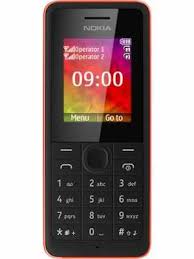
If you want to flash your Nokia phone without box, then download and install Phoenix Service Software on your windows PC. Phoenix Service Software allows you to flash Nokia phones without box. You don’t need any box to flash your Nokia phone. Just download and install Phoenix Service Software on your Windows PC and connect your Nokia phone to this tool VIA USB cable to start flashing. Download Phoenix Service Software Here
Note: We always provide the best and 100% working firmware/flash file for Nokia cell phones. But we do not grantee of any lose during flashing your phone. So do this task at your own risk.
Disclaimer: Flashing and formatting of any cell phone deletes all data like Images, Ringtones, Messages, Contacts, and Music etc. So before flashing a cell phone, it is very important to get backup of all the important data.
Nokia 107 RM-961 Flash File Details & Download Link
| Device Name | Nokia 107 |
| Device Manufacturer | Nokia Inc |
| Aliases | RM-961 |
| Phone Type | Bar Phone (Keypad) |
| Sim Slot | Single Sim – Full Sim |
| Publisher | https://www.allmobiletools.net |
The post Nokia 107 Rm-961 Latest Flash File (Firmware) Free Download appeared first on AllMobileTools-Tutorials, Stock Firmware, Tools, USB Drivers.
]]>You can download latest flash files for Nokia 220 easily because the files are of small size and it can be downloaded easily. There are many flashing box available on internet to flash Nokia phones, but some of the best flashing software for Nokia phones are listed below.
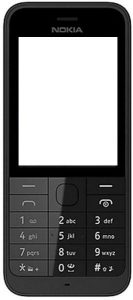
If you want to flash your Nokia phone without box, then download and install Phoenix Service Software on your windows PC. Phoenix Service Software allows you to flash Nokia phones without box. You don’t need any box to flash your Nokia phone. Just download and install Phoenix Service Software on your Windows PC and connect your Nokia phone to this tool VIA USB cable to start flashing. Download Phoenix Service Software Here
Note: We always provide the best and 100% working firmware/flash file for Nokia cell phones. But we do not grantee of any lose during flashing your phone. So do this task at your own risk.
Disclaimer: Flashing and formatting of any cell phone deletes all data like Images, Ringtones, Messages, Contacts, and Music etc. So before flashing a cell phone, it is very important to get backup of all the important data.
The post Download Nokia 220 RM-969 Latest Flash File (Firmware) appeared first on AllMobileTools-Tutorials, Stock Firmware, Tools, USB Drivers.
]]>How to download Nokia Flash File
Either you can get the direct link, which we are going to provide you, or you can use some unhygienic procedure to get the files.
First, download the Phoenix software, and install it on your computer. When the installation will be completed, it will ask you to put the code of your brand. You can put the code from the behind of your mobile phone. When you will put the code, it automatically fetches all the required flash files to flash your Nokia mobile phone.
Flashing of the phone will make your Nokia mobile phone very fast and smooth, all the bugs and errors will be gone. Now, you can use your phone, like you’re purchased now, without of any turbulence or interruption, it will work fine for you.
How to flash Nokia phone using Nokia Flash files
You can use any tool, there are dozens of tools available on the market, can pick one and use. I would like to recommend smart phone flash tool, you can find the link to download the tool from our website. The process of flashing of the phone would not be as difficult as you are thinking; there is pretty straightforward and simple method of flashing your phone.
Gather all the tools required to flash your Nokia phone, get a data cable, fully charged phone which needs to be fixed, a computer installed Windows and all required software and driver. Connect that computer to your mobile phone, and click on the given button of flashing. It will ask you to select the flashing files, you can browse and select the files where you have saved the downloaded Nokia Flash files within your computer. And click on the flashing, though it will take some minutes to complete the task, you will get a new mobile phone, new OS with smooth interface.
You need to visit our website, to get all types of Flash files; we update our web pages regularly, and make it hard to provide you latest fools and applications.
We already have given a download link of Nokia Flash Files; you can tap on the download button and get the files from our servers.
If the download link is not working or expired, comment down in comment section area.
The post Nokia E5-00 Rm-632 Latest Flash File v102.002_001 Free Download appeared first on AllMobileTools-Tutorials, Stock Firmware, Tools, USB Drivers.
]]>How to download Nokia Flash File
Either you can get the direct link, which we are going to provide you, or you can use some unhygienic procedure to get the files.
First, download the Phoenix software, and install it on your computer. When the installation will be completed, it will ask you to put the code of your brand. You can put the code from the behind of your mobile phone. When you will put the code, it automatically fetches all the required flash files to flash your Nokia mobile phone.
Flashing of the phone will make your Nokia mobile phone very fast and smooth, all the bugs and errors will be gone. Now, you can use your phone, like you’re purchased now, without of any turbulence or interruption, it will work fine for you.
How to flash Nokia phone using Nokia Flash files
You can use any tool, there are dozens of tools available on the market, can pick one and use. I would like to recommend smart phone flash tool, you can find the link to download the tool from our website. The process of flashing of the phone would not be as difficult as you are thinking; there is pretty straightforward and simple method of flashing your phone.
Gather all the tools required to flash your Nokia phone, get a data cable, fully charged phone which needs to be fixed, a computer installed Windows and all required software and driver. Connect that computer to your mobile phone, and click on the given button of flashing. It will ask you to select the flashing files, you can browse and select the files where you have saved the downloaded Nokia Flash files within your computer. And click on the flashing, though it will take some minutes to complete the task, you will get a new mobile phone, new OS with smooth interface.
You need to visit our website, to get all types of Flash files; we update our web pages regularly, and make it hard to provide you latest fools and applications.
We already have given a download link of Nokia Flash Files; you can tap on the download button and get the files from our servers.
If the download link is not working or expired, comment down in comment section area.
The post Nokia Lumia 620 RM-846 Latest Flash File Free Download appeared first on AllMobileTools-Tutorials, Stock Firmware, Tools, USB Drivers.
]]>How to download Nokia Flash File
Either you can get the direct link, which we are going to provide you, or you can use some unhygienic procedure to get the files.
First, download the Phoenix software, and install it on your computer. When the installation will be completed, it will ask you to put the code of your brand. You can put the code from the behind of your mobile phone. When you will put the code, it automatically fetches all the required flash files to flash your Nokia mobile phone.
Flashing of the phone will make your Nokia mobile phone very fast and smooth, all the bugs and errors will be gone. Now, you can use your phone, like you’re purchased now, without of any turbulence or interruption, it will work fine for you.
How to flash Nokia phone using Nokia Flash files
You can use any tool, there are dozens of tools available on the market, can pick one and use. I would like to recommend smart phone flash tool, you can find the link to download the tool from our website. The process of flashing of the phone would not be as difficult as you are thinking; there is pretty straightforward and simple method of flashing your phone.
Gather all the tools required to flash your Nokia phone, get a data cable, fully charged phone which needs to be fixed, a computer installed Windows and all required software and driver. Connect that computer to your mobile phone, and click on the given button of flashing. It will ask you to select the flashing files, you can browse and select the files where you have saved the downloaded Nokia Flash files within your computer. And click on the flashing, though it will take some minutes to complete the task, you will get a new mobile phone, new OS with smooth interface.
You need to visit our website, to get all types of Flash files; we update our web pages regularly, and make it hard to provide you latest fools and applications.
We already have given a download link of Nokia Flash Files; you can tap on the download button and get the files from our servers.
If the download link is not working or expired, comment down in comment section area.
The post Nokia E72 Rm-530 Latest Flash File Free Download appeared first on AllMobileTools-Tutorials, Stock Firmware, Tools, USB Drivers.
]]>Nokia is the big corporation having millions of the users behind the success of the company. You would have known that Nokia brand was sold out to Microsoft in previous passed years. Though there was not like a permanent selling of the brand but using the name, specific time spam deal was there, and Microsoft launched many smartphones based on Windows Operating system. There were some gray reviews regarding the phones, many of the users were unhappy with the interface and some of them very extremely happy to get such type of environment. That is the professionalism when Microsoft leave the brand and started manufacturing their own mobile phone, they also refrain themselves to provide the flash files. So, they refuse to give the servers and all the previous links were removed from the official Microsoft website. Now, you are not able to download the Nokia Flash Files from any of the Microsoft websites, there are some other manual ways to download the flash files. But, all risky and can damage your system, if they got some infectious files within the flash files.
How to download Nokia Flash File
Either you can get the direct link, which we are going to provide you, or you can use some unhygienic procedure to get the files.
First, download the Phoenix software, and install it on your computer. When the installation will be completed, it will ask you to put the code of your brand. You can put the code from the behind of your mobile phone. When you will put the code, it automatically fetches all the required flash files to flash your Nokia mobile phone.
Flashing of the phone will make your Nokia mobile phone very fast and smooth, all the bugs and errors will be gone. Now, you can use your phone, like you’re purchased now, without of any turbulence or interruption, it will work fine for you.
How to flash Nokia phone using Nokia Flash files
You can use any tool, there are dozens of tools available on the market, can pick one and use. I would like to recommend smart phone flash tool, you can find the link to download the tool from our website. The process of flashing of the phone would not be as difficult as you are thinking; there is pretty straightforward and simple method of flashing your phone.
Gather all the tools required to flash your Nokia phone, get a data cable, fully charged phone which needs to be fixed, a computer installed Windows and all required software and driver. Connect that computer to your mobile phone, and click on the given button of flashing. It will ask you to select the flashing files, you can browse and select the files where you have saved the downloaded Nokia Flash files within your computer. And click on the flashing, though it will take some minutes to complete the task, you will get a new mobile phone, new OS with smooth interface.
You need to visit our website, to get all types of Flash files; we update our web pages regularly, and make it hard to provide you latest fools and applications.
We already have given a download link of Nokia Flash Files; you can tap on the download button and get the files from our servers.
If the download link is not working or expired, comment down in comment section area.
The post Nokia Lumia 520 (RM-915) Latest Flash File Free Download appeared first on AllMobileTools-Tutorials, Stock Firmware, Tools, USB Drivers.
]]>